
Securing my Blog with CSP
This post will cover how to enable Content Security Policy (CSP) on a site you are hosting with Cloudflare Pages and briefly cover why this important security header can protect your site. Errors you may see in your browser’s console when a CSP blocks your assets.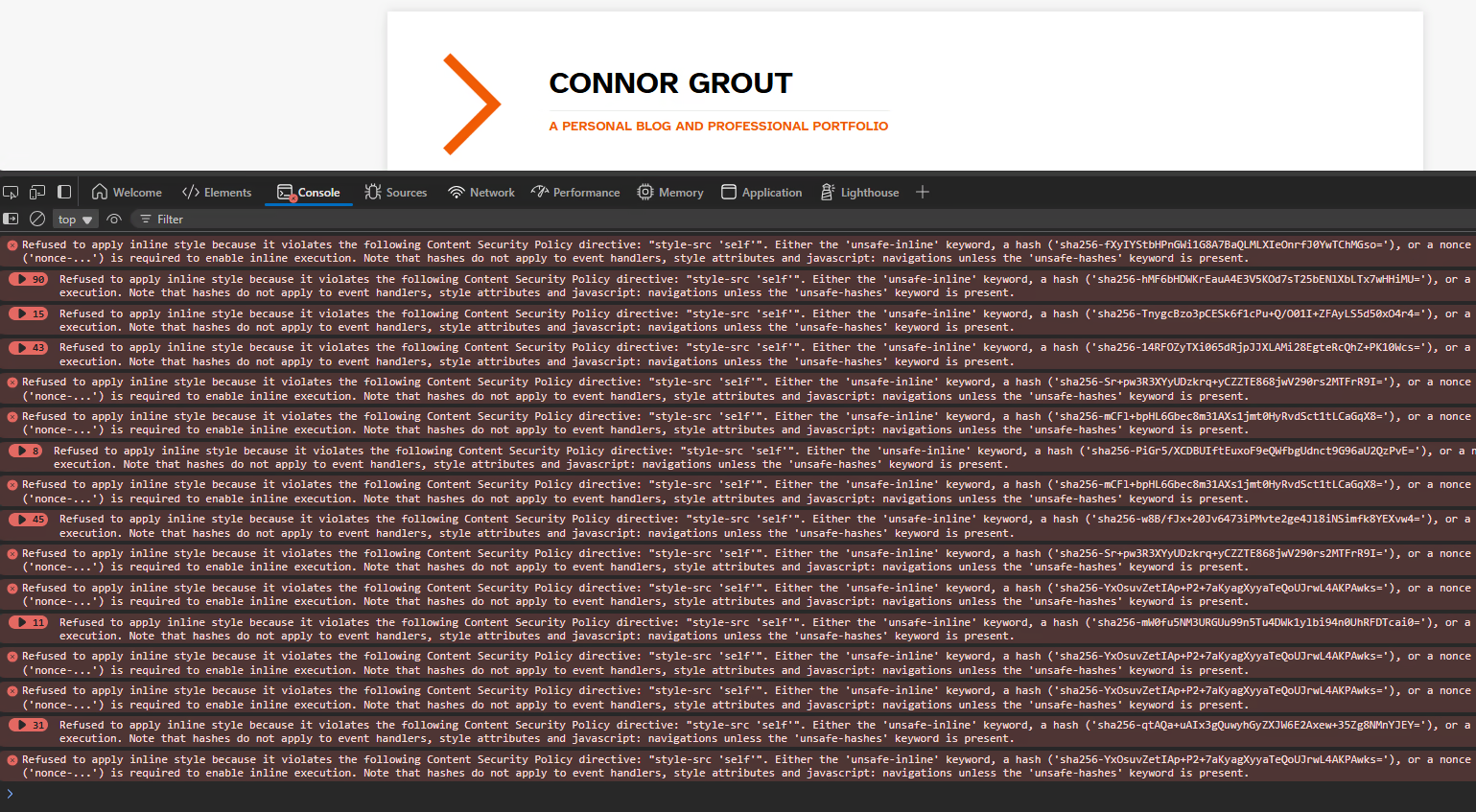
Testing Your Site’s Security Posture
To start, if you have a site and are concerned about this I would recommend you first run your site through Mozilla’s HTTP Observability Report. This will give you a score and grade for common security settings that can be enabled on your site. Before I enabled CSP and other security settings I scored a 35/100 with a score of D. Obviously this made me want to get my score up, but this required setting some header information to do so. This can be difficult if you are using a 3rd party company to host your site, because you normally don’t have control over what headers the site serves on your behalf. At the time of this writing, this is the case for GitLab which is why I switched to Cloudflare Pages. I will cover that in another blog post soonTM as I still fully utilize GitLab CI/CD for my site, but added a final step to push my compiled site to CloudFlare Pages using wrangler.
Telling CloudFlare What Headers to Serve
So, I had to do some research, but this is possible via the _headers file or though Rules. Because my headers are static (for now…) I opted for the _headers file method so I wouldn’t have to deal with Rules on their site. It should also be noted that if you are using CloudFlare’s free plan you can only have 10 transform rules per domain. Using the _headers file also keeps all my configs in a central location and ensures they are version controlled along with the rest of my site.
To add this file to your cloudflare hosted site simply create a _headers file in your hugo static directory. This will be copied verbatim during your site compilation to the root of your site (in the public directory) so when you run wrangler it will copy the _headers you specified to CloudFlare along with your static site.
You can see my _headers file here:
Headers file Breakdown
https://*.pages.dev/*
  X-Robots-Tag: noindex

/*
  Content-Security-Policy: default-src 'none'; script-src 'self' static.cloudflareinsights.com; connect-src cloudflareinsights.com; style-src 'self' 'unsafe-inline'; img-src 'self'; frame-src 'self'; font-src 'self'; frame-ancestors 'none'; form-action duckduckgo.com; base-uri 'self';
  Strict-Transport-Security: max-age=63072000; includeSubDomains
  X-Content-Type-Options: nosniff
  X-Frame-Options: SAMEORIGIN
  X-XSS-Protection: 1; mode=block
  Referrer-Policy: strict-origin-when-cross-origin
You can refer to the CloudFlare _headers documentation, but I’ll quickly break down what I’ve done for my site above.
First, I would recommend you do this, disable indexing your your *.pages.dev site. If you have your own domain name I’m sure you wouldn’t want your development sites being indexed, so you can disable this in the file with:
https://*.pages.dev/*
  X-Robots-Tag: noindex
This will add the X-Robots-Tag: noindex header to any pages that are hosted on CloudFlare’s pages.dev site. This only works on well behaved bots, such as Google, so if you really want to ensure people can’t access your dev sites or any pages.dev sites I would recommend you enable Zero Trust in addition. This will require a MFA validation in order to see the site you enable it on, so it may slow down development if that is a concern.
The real headers for my site fall under the /* meaning all URLs. I will breakdown the others headers and their meanings below, CSP will be the last since it requires the most explication to do so.
| Header | Value | Meaning |
|---|---|---|
Strict-Transport-Security | max-age=63072000; includeSubDomains | HTTP Strict Transport Security (HSTS) automatically upgrades all connections to the site to HTTPS. The max-age tells the browser how long to remember this setting in seconds, in my case it’s set to 2 years. The includeSubDomains means to also include all subdomains of the grout.xyz domain as well. It is recommended to start with a low value (5 min) in case you need to revert due to lose any site functionality. |
| X-Content-Type-Options | nosniff | This tells the browser not to load any files with invalid MIME types. For example if a site tries to load a style type but the MIME is an application/javascript. The only appropriate MIME type for a style type is text/css. |
| X-Frame-Options | SAMEORIGIN | This header tells browsers to block other sites from loading my site as an iframe or other type. This keeps others from embedding your site outside of your domain. This prevents clickjacking attacks from occurring. |
| X-XSS-Protection | 1; mode=block | This is a legacy header, which CSP has largely replaced, but is required for some older legacy browsers without CSP support. The 1 disables sites from loading injected code if a Cross Site Scripting (XSS) attack is detected. The mode=block takes it a step further and blocks loading the entire page if a XSS attack is detected on a site, rather that loading the page while stripping the XSS attack code |
| Referrer-Policy | strict-origin-when-cross-origin | This controls the Referrer header that is transmitted on a redirect. The strict-origin-when-cross-origin means that only redirects to my site (ie. click on a post) will result in the Referrer header being sent. If traffic is leaving my site the Referrer header is not sent to the redirected site. |
Finally we can talk about the Content-Security-Policy header. This header has a bunch of “;” delimited values that define the security policy for each piece of content on the site.
The first directive is the default-src, which is set to ’none’. This value signifies that the following *-src directives should be set to ’none’ if not defined:
- child-src
- connect-src
- font-src
- frame-src
- img-src
- manifest-src
- media-src
- object-src
- prefetch-src
- script-src
- script-src-elem
- script-src-attr
- style-src
- style-src-elem
- style-src-attr
- worker-src
This value should be set to ’none’ in order to follow least privilege. Do not give anything permission that doesn’t need it, it just makes your site more insecure.
The script-src 'self' static.cloudflareinsights.com; and connect-src cloudflareinsights.com; directives allows javascript from my site, ‘self’, to be loaded in addition to any scripts provided by the trusted site: static.cloudflareinsights.com. You can add additional sites to the space delimitated list before the ; that you may need to load javascript from (such as google analytics). I got these values from CloudFlare Page’s CSP documentation, so if there are any CloudFlare features you would like to yous on your site, make sure to include them in your policy per their instructions.
The next directives are my “style” definitions: style-src 'self' 'unsafe-inline'; and font-src 'self';. These allow me to load CSS and fonts hosted on my domain. If you are using Google Fonts or other CSS/Fonts outside of your site, make sure to add the hosts to the trusted domain list of these policies. I also specify 'unsafe-inline' for the style so that in-line style tags or attributes on elements generate properly. I, unfortunately, can’t generate and whitelist individual inline style for all items on my site. Perhaps in the future I will look at using nonces to digitally “sign” these.
The img-src 'self'; directive allows only images on my site to load. If you have images that are hosted somewhere else besides your site, you will need to include the external host in your img-src to ensure they load properly.
The frame-src 'self'; and frame-ancestors 'none'; directives control which sites you can load as iframes or frames (frame-src) as well as who can load your site as an iframe on their site (frame-ancestors). You can read about frame-src and frame-ancestors on Mozilla’s developer website.
The form-action duckduckgo.com; directive allows the search bar to work on my site. This permits my form to redirect data from the form on my site to duckduckgo.com. You will need to change this to allow your forms to send data to your own site or external sites.
Finally the base-uri 'self'; directive specifies which URIs are allowed in HTML <base> elements. These are used to determine what the URI is for relative paths in HTML code (i.e. link would redirect to https://connor.grout.xyz/home.html). My blog doesn’t use <base>, but if I do in the future my security policy will allow it.
Alternative to Headers
Hopefully you now have a better understanding of the headers used in addition to my CSP policies. Like I stated earlier these are controlled via Headers that are sent from the web host. If you don’t have control of the web server (i.e. GitHub/GitLab Pages) or if you don’t want to deal with custom headers on Cloudflare there is an alternative for the CSP headers. You can use a <meta> tag with the http-equiv attribute to emulate a CSP header. This is great if you don’t have control of the web host or if you want to ensure your site’s settings are packaged into the site yourself and remove a dependency from the web server. Here is my CSP configuration above using the <meta> element below:
<meata http-equiv="Content-Security-Policy" content="default-src 'none'; script-src 'self' static.cloudflareinsights.com; connect-src cloudflareinsights.com; style-src 'self'; img-src 'self'; frame-src 'self'; font-src 'self'; frame-ancestors 'none'; form-action duckduckgo.com; base-uri 'self';">
Wrap Up
You’ve now seen the 2 methods for enabling CSP by either setting the HTTP Headers on the web host (or using _headers for CloudFlare Pages) or using the equivilant HTTP <meta> element on your static site. You should also have a solid understanding of what CSP in addition to some other security headers do. If you are are running a static site, like mine here, it makes sense to ensure that only your content is executed. If you have a very popular site you probably don’t want anyone hijacking any elements such as images, scripts, fonts, or being able to embed your full content in malicious sites via <frame> elements. Enabling CSP was rather easy for my very basic site, but it doesn’t seem very difficult to add the required exceptions for outside scripts (ie for user engagement/tracking) to function properly. Using CSP is a relatively easy step to take towards making your site more robust and ensuring that it behaves for all of your end users as you intended to.